

Advertisement
Americans now spend over seven hours a day staring at screens. This number keeps going up. It shows how common screen time addiction and digital device dependence are, affecting all ages and jobs.
This article looks at the hidden effects of too much screen time. It affects our mental, physical, social, and work lives. We’ll talk about smartphones, tablets, laptops, gaming consoles, streaming devices, and smart TVs. We’ll see the short-term and long-term dangers of tech addiction and device addiction.
Research from the Pew Research Center and the American Academy of Pediatrics raises concerns about internet overuse and digital device dependence. You’ll learn how to identify device addiction, understand the science behind it, and get tips to cut down on screen time.
We aim to be practical and friendly. We want to help U.S. adults, parents, educators, and professionals see the harm of too much screen time. We’ll offer tools, apps, and community resources to help you slowly change your screen habits.
Understanding Screen Time Addiction
Today, it’s hard to tell what’s useful tech and what’s a bad habit. Many people find themselves drawn to their devices, even when it hurts their work, sleep, or relationships. Experts argue over the exact term, but they agree on key signs: craving, losing control, using despite harm, and feeling withdrawal.
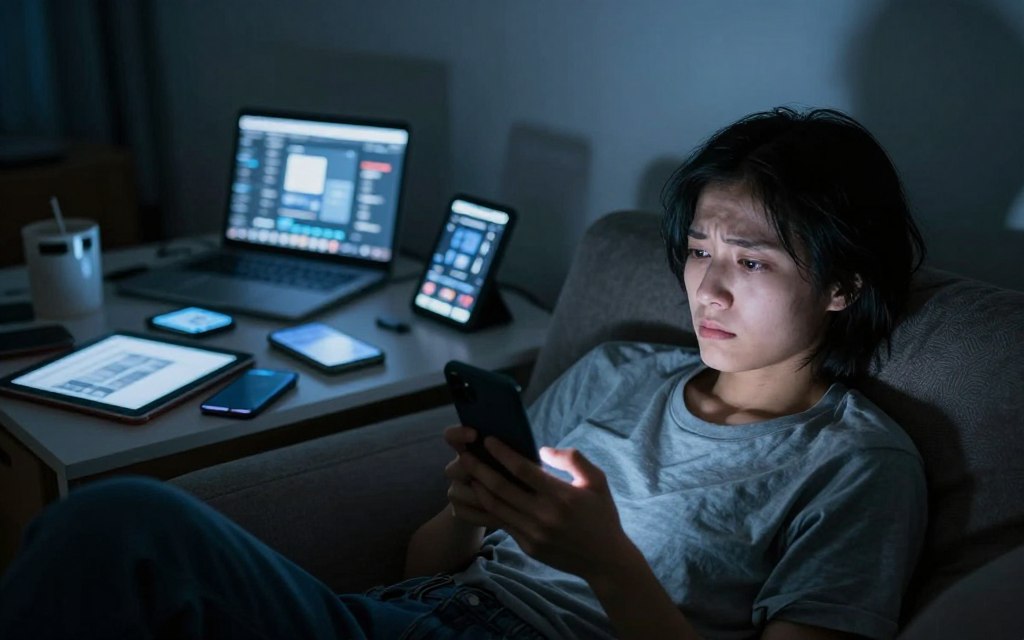
Science shows that our brains get hooked on devices. Things like social media likes and new content release dopamine. Design tricks like endless scrolling and notifications keep us hooked for longer. This makes it tough for many to stop using their smartphones.
When we talk about addiction, there’s a fine line between what doctors say and what we call it. The World Health Organization and studies on Internet Gaming Disorder help us see when use becomes a problem. Treatment often focuses on changing behavior and adjusting our environment.
What is Screen Time Addiction?
Screen time addiction is when we can’t stop using phones, tablets, or computers. It can lead to missing out on important things or feeling stuck. People might keep using, even if it hurts their sleep, school, or work.
It’s all about the rewards and habits. Notifications and likes keep us coming back. Over time, we need more to feel the same high.
Signs of Screen Time Addiction
There are clear signs to watch for. Look for spending too much time on devices, trying to cut back but failing, and ignoring important tasks. Using devices at night can mess up our sleep.
Other signs include feeling anxious or irritable without devices, avoiding social situations, and using screens to escape. We might need more time online to feel good. Poor performance, like bad grades or missed deadlines, is also a warning sign.
| Category | Behavioral Signs | Psychological Indicators |
|---|---|---|
| Preoccupation | Constant checking of apps, loss of track of time | Persistent thoughts about being online |
| Loss of Control | Failed efforts to cut back, longer sessions | Feeling powerless over use |
| Harmful Consequences | Missed work, falling grades, neglected chores | Guilt, shame, lowered self-esteem |
| Withdrawal & Tolerance | Irritability when offline, need more screen time | Anxiety, restless mood without device access |
Some groups are more at risk for this problem. Young people, those with anxiety or depression, and those who are lonely or stressed are more likely to get hooked. Kids and teens are at special risk, which is why experts recommend watching their screen time and setting limits.
Knowing the signs helps us take action early. It’s easier to make changes before addiction hurts our health, relationships, or work.
The Psychological Impact of Excessive Screen Time
Smartphones and apps have changed how we deal with stress and connect. Studies show heavy screen use can make us feel worse and hurt our relationships. Internet overuse and digital dependence are becoming common, leading to new advice from mental health experts.
Anxiety and Depression Linked to Screen Use
Research finds teens and young adults with high social media use are more anxious and depressed. Studies show a link between screen time and mood. It seems that being depressed can make someone use screens more, and too much screen time can make depression worse.
Things like comparing ourselves on Instagram, cyberbullying, and not sleeping well because of screens can harm us. Constantly scrolling is a way to avoid dealing with our feelings. This behavior stops us from really processing our emotions and solving problems, keeping anxiety and depression going.
Social Isolation and Disconnection
Too much time online can replace real-life interactions. People might feel lonely, even with lots of online friends. This makes us think we’re connected, even when we’re not really feeling it.
Working or living with devices all the time can mess with our personal space. Remote workers might find it hard to disconnect, causing problems in their relationships. Missing out on social cues can make us less empathetic and hurt our communication skills.
Groups at risk include teens, remote workers, those living alone, and people with mental health issues. Doctors now check for screen time addiction and online addiction as part of their routine checks.
Physical Health Effects of Prolonged Screen Time
Long hours on phones, tablets, and computers can harm more than just your battery. They can cause physical strain and increase health risks over time. Understanding how screens affect our eyes, posture, and health is key to fighting device addiction and excessive gadget use.
Eye strain and discomfort
Digital eye strain, or computer vision syndrome, is common. Symptoms include dry eyes, blurred vision, headaches, and neck or shoulder pain.
Blue light from screens, focusing too long, poor ergonomics, small fonts, and less blinking contribute to this. Blue light can also mess with our sleep, leading to sleep problems and affecting our daily routines.
The American Optometric Association suggests regular breaks, proper monitor distance, and ergonomic adjustments to ease eye strain. Simple actions like the 20-20-20 rule—looking 20 feet away for 20 seconds every 20 minutes—can help reduce discomfort.
Sedentary lifestyle consequences
Long hours sitting can lead to weight gain, metabolic syndrome, and heart disease. Even those who exercise regularly face health risks from too much sitting.
Poor posture while using devices can cause musculoskeletal issues like “text neck,” wrist strain, and repetitive stress injuries. Experts recommend ergonomic setups, such as adjustable chairs, monitors at eye level, and wrist support for typing.
Less physical activity weakens our immune system, increases chronic disease risk, and slows recovery from illness. Managing screen time and reducing tech addiction can help us move more and stay healthy.
| Problem | Typical Symptoms | Practical Fixes |
|---|---|---|
| Digital eye strain | Dry eyes, blurred vision, headaches | 20-20-20 breaks, larger fonts, monitor filters |
| Blue light disruption | Delayed sleep onset, circadian shift | Evening dimming, blue-light filters, reduced night use |
| Sedentary risks | Weight gain, metabolic issues, heart risk | Standing breaks, short walks, scheduled movement |
| Musculoskeletal strain | Text neck, wrist pain, shoulder stiffness | Ergonomic chair, monitor height, wrist rests |
| Secondary health outcomes | Weakened immunity, slower recovery | Regular exercise, balanced activity, screen time management |
The Influence on Sleep Patterns
Evening screen habits affect sleep more than we think. Blue light from phones and tablets lowers melatonin. Interactive content raises arousal, and late-night scrolling keeps the mind active. Teens face extra risk because their sleep times naturally shift later.
How Screen Time Affects Your Sleep Quality
Blue light exposure delays the body’s sleep signal. This makes it harder to fall asleep. Studies link bedtime device use to longer sleep latency and lower sleep efficiency.
Interactive content, like streaming or gaming, keeps the nervous system active. This cognitive and emotional stimulation before bed increases heart rate and thought activity. It disrupts the transition to restful sleep.
Patterns of internet overuse and digital device dependence often include late-night binge-watching and gaming marathons. These behaviors fragment sleep and reduce deep sleep stages.
Tips for Better Sleep Hygiene
Set a consistent screen curfew. Stop screens 60–90 minutes before bedtime to let melatonin rise naturally. Make your bedroom device-free to remove temptation and reduce interruptions.
Use built-in settings like night mode and Do Not Disturb to limit blue light and silence notifications. But don’t rely on filters alone. Try a calming pre-sleep routine: printed books, light stretching, or short mindfulness exercises.
Track and limit nighttime usage with device settings or apps that report hours. Morning daylight helps reset circadian timing and counteracts late-night screen use.
Watch for clinical red flags like persistent insomnia, excessive daytime sleepiness, or worsening mood. These signs may need a clinician’s evaluation, specially if there’s smartphone addiction or severe digital device dependence.
Screen Time and Children: A Growing Concern
Parents and caregivers now face new decisions as devices play a big role in learning and fun. Doctors say early use can lead to addiction and too much gadget time. It’s important for families to pick the right content and set limits.
Age Recommendations for Screen Exposure
The American Academy of Pediatrics says no screens for kids under 18 months, except for video calls. For 18–24 months, choose high-quality shows with a parent to help learning. Kids 2–5 should watch about one hour of good content each day.
For older kids, set limits based on their needs, sleep, and family life. Doctors worry about too much screen time early on. It can lead to addiction and less time for real-life activities.
Setting Healthy Boundaries
Make sure learning time is different from just watching shows. Watching and talking about what’s on screen helps kids learn. Use tools and apps that help kids focus, not just scroll endlessly.
Make a plan for when and where devices are off-limits, like during meals or at night. Show kids it’s okay to put phones away by doing it yourself. Find other fun activities like playing outside, reading, sports, and arts to replace screen time.
Look out for signs like shorter attention span, mood changes, sleep issues, lower grades, or not wanting to be with others. If you see these signs, talk to your doctor or a child psychologist. They can help figure out if it’s addiction or not.
| Age Group | Recommended Approach | Practical Limits |
|---|---|---|
| Under 18 months | No screens except live video-chat with family | Zero recreational screen time |
| 18–24 months | High-quality programming with caregiver co-viewing | Short, supervised sessions only |
| 2–5 years | Consistent limits; focus on educational content | About 1 hour per day of high-quality media |
| 6+ years | Individualized limits; emphasize balance and sleep | Set daily rules, device-free bedrooms, screen-free meal times |
How Screen Time Affects Your Productivity
Phones and tablets can interrupt your work a lot. Notifications and switching apps make it hard to focus. This can lower how well you think and work.
Social media and messaging apps are made to keep you hooked. This takes away from time for deep thinking and solving problems. It can make tasks take longer, lead to more mistakes, and hurt creativity.
Distraction Levels and Focus
Notifications are like alarms for your brain. Each one makes you switch tasks. Using the Pomodoro technique helps by giving you focused time without interruptions.
Turning on Do Not Disturb or focus modes helps too. It reduces distractions that lead to addiction and dependence on devices.
Multitasking might seem like it helps you get more done. But, really, focusing on one thing at a time is better. Schedule breaks and limit social media checks to specific times. This helps keep your focus on tough projects.
Time Management Tips
There are ways to manage distractions better. Use iPhone’s focus modes or Windows’ Focus Assist during work times. Try the Pomodoro method: work for 25 minutes, then take a 5-minute break. Use website blockers and apps to limit distractions.
Make a clear line between work and personal life. Turn off non-essential alerts when you’re not working. Have a dedicated workspace when you work from home. Employers can help by having meeting-free times and clear rules on messaging outside work hours.
Working from home can be tricky because it’s hard to separate work and personal life. Having a dedicated desk and regular start times helps. These habits improve how you manage screen time and reduce tech addiction, leading to better productivity.
The Role of Social Media in Screen Addiction
Social platforms promise constant connection. They make us feel close to friends and trends, but interactions can be shallow. Algorithms push content that sparks outrage, comparison, and sensational stories. This cycle increases time online and raises emotional reactivity, linked to smartphone and social media addiction.
The Illusion of Connectivity
Feeds create a stream of updates that mimic real conversation. Engagement metrics like likes, shares, and comments reward short attention bursts. Infinite scroll and push notifications keep users coming back. These mechanics exploit learning principles to shape habits, contributing to technology and online addiction.
Algorithms favor content that provokes reaction. Content that sparks anger or envy gets more visibility. This pattern magnifies negative comparisons and reduces meaningful interaction.
FOMO and Its Effects on Mental Health
FOMO, or the fear of missing out, drives frequent social app checks. People compare their lives to curated highlights, which can lower mood and satisfaction. Studies show FOMO links heavy social media use to poorer well-being.
Reliance on social validation affects self-esteem. External approval becomes a mood barometer. This makes emotions swing with each notification and can worsen anxiety tied to smartphone addiction.
Practical steps help reduce harm. Audit your feeds and mute or unfollow accounts that trigger negative comparisons. Turn off nonessential notifications and set app limits. Curating a calmer online environment weakens the pull of social media addiction and technology obsession.
| Feature | How It Triggers Return Visits | Suggested Action |
|---|---|---|
| Likes & Comments | Provide quick social rewards and validation | Limit checking times; focus on posts that matter |
| Infinite Scroll | Removes natural stopping cues and extends sessions | Use timed sessions or reading goals |
| Push Notifications | Interrupt tasks and create urgency to return | Disable nonessential alerts; allow batches |
| Personalized Feeds | Show more of what engages emotions and attention | Follow diverse accounts; use “see first” for positives |
| Stories & Ephemeral Content | Encourage daily checks to avoid missing moments | Set specific times for story viewing |
Finding Balance: Managing Screen Time
Too much screen time can mix up work and rest. Start with simple steps for better screen time management. Small changes can help reduce addiction and cut down on gadget use without feeling punished.
Setting Realistic Limits
Start by tracking your screen time with Apple Screen Time or Android Digital Wellbeing for a week. Note how much time you spend on work and play. Use this data to set a daily screen time budget that fits your life and responsibilities.
Set SMART goals to cut down on recreational screen time. For example, aim to spend no more than 30 minutes on social media daily. Make it Specific, Measurable, Achievable, Relevant, and Time-bound to fit your work and family life.
Reduce screen time gradually instead of cutting it off completely. Cut 15–30 minutes each week until you reach your goal. This method helps you stick to the change and avoid going back to old habits.
Mindful Technology Use
Mindful technology use means using devices with purpose. Pause before responding to notifications. Check your phone with intention instead of habit. Try to focus on one task at a time to keep your mind sharp.
Make time phone-free: during meals, an hour before bed, and the first 30 minutes after waking. Replace mindless scrolling with short, enjoyable activities like stretching or reading a book. This breaks the cycle of addiction.
To avoid mindless checking, remove visual cues. Put your phone in another room while you work or use Do Not Disturb for focused blocks. Reflect on how apps make you feel and adjust your use if they cause addiction or stress.
Track Progress and Adjust
Check your screen time reports every week. Compare them to your SMART goals. Celebrate small victories to keep yourself motivated. If goals seem too hard, make them easier and give yourself more time.
If you find yourself slipping back into old habits, reassess your approach. Change app settings, set stricter limits, or try short digital detoxes. Regularly reviewing your habits helps make screen time management a lasting part of your life.
Alternatives to Screen-Based Activities
Switching from apps to analog pastimes helps counter excessive gadget use and digital device dependence. Small, enjoyable offline activities can lift mood, cut stress, and improve sleep. The ideas below suit beginners and busy people.
Outdoor pursuits and hobbies
Try walking, hiking, or cycling to get fresh air and steady movement. Gardening and team sports build fitness and reduce tension. Creative arts such as painting, playing guitar, or writing boost mood and focus.
Hands-on DIY projects sharpen skills and deliver tangible rewards that lower reliance on digital validation.
Low-barrier hobby ideas make a habit stick. Start a jigsaw puzzle, cook a new recipe from a cookbook, try film photography with a simple point-and-shoot, or join a local running or book club. These options offer intrinsic satisfaction that eases digital device dependence over time.
Engaging with family and friends
Prioritize in-person time to strengthen relationships. Host game nights, share device-free dinners, set up playdates for children, or schedule partner check-ins. Community events and volunteer shifts create shared goals and common memories.
Use simple rules to keep gatherings device-free. Place a device basket at the door, agree on expectations before an event, or plan activities that demand active participation. These habits reduce excessive gadget use and improve communication.
Local parks, community centers, volunteer groups, and Meetup chapters help you find offline activities. Regular face-to-face interaction builds empathy, reduces misunderstandings from text-only chats, and deepens connection without screens.
Strategies for Reducing Screen Time
Small, practical habits can help manage screen time and fight device addiction. Start with a plan that separates work from play. Use tools and simple rules to make change easy without stress.
Creating a Daily Screen Time Schedule
Plan out your screen tasks like work, school, and banking. Set times for fun activities like social media and streaming. Make sure to have long, focused work periods without distractions.
Make your meals, first hour after waking, and last hour before bed device-free. Use timers and app limits to stick to these rules. Keep your devices charged outside your bedroom to avoid late-night scrolling.
Use templates to fit your life stage. For adults, plan focused mornings, two deep work blocks, and a leisure slot. Parents should set a tech curfew, work blocks, and supervised learning. Students should limit screens during class, have homework time, and a social block in the evening.
Digital Detox Ideas
Begin with small detoxes like phone-free meals and single-app fasts. Move to weekend or week-long detoxes when you can. Try a social media fast, email-free evenings, or a single-app break for a week.
Before detoxing, tell friends and set auto-replies. Plan fun activities like walks or reading. You might feel anxious or bored at first, but it gets better in a few days.
If your job requires constant connection, try partial detoxes. Set specific times to check work apps and use auto-responders to protect your downtime.
Behavioral Tools and Measurement
Use timers, app limits, and grayscale mode to make devices less appealing. Keep devices away to help new habits stick. Make changes slowly to avoid going back to old habits.
Track your progress to see how detoxes help. Keep a daily log of how you feel, sleep, focus, and relationships. Use this data to stay motivated and improve your screen time management.
| Strategy | Action | Expected Benefit |
|---|---|---|
| Daily Schedule | Block work, school, banking; set leisure slots; device-free windows | Clear boundaries, reduced internet overuse, improved focus |
| Micro-Detox | Phone-free meals, single-app fasts for 24–72 hours | Lower device addiction cues, easier habit shifts |
| Guided Detox | Weekend or week-long social media or email fast | Noticeable mood and sleep gains, reset attention |
| Behavioral Tools | Timers, app limits, grayscale, charging station outside bedroom | Fewer impulse checks, sustained reduction in device addiction |
| Measured Approach | Log mood, sleep, productivity, relationships | Evidence of progress, motivation to continue screen time management |
Resources for Overcoming Screen Time Addiction
Finding good tools and communities can help manage screen time. Here’s a guide to apps, platforms, and professional help. They help monitor use, build healthy habits, and offer support for online addiction.
Start with apps that track habits and block distractions. Use them to set limits, review patterns, and create focus windows. This reduces compulsive checking.
- Apple Screen Time — Tracks device and app usage, sets downtime and app limits, syncs across iPhone, iPad and Mac. Best for iOS households managing family screens.
- Google Digital Wellbeing — Monitors Android app time, offers Focus mode and bedtime features, works with Pixel and many Android devices.
- RescueTime — Runs in background on desktop and mobile, gives detailed reports, blocks distracting sites with FocusTime. Ideal for professionals who need productivity analytics.
- Moment — Tracks daily phone use and pickups, offers coaching plans to lower screen minutes. Good for gradual reduction and self-awareness.
- Forest — Gamified focus app that grows virtual trees while you stay off your phone. Effective for people who respond to rewards and visual progress.
- Freedom — Cross-device site and app blocking across Windows, macOS, Android and iOS. Best for those who need synchronized blocks across multiple devices.
- StayFocusd (browser extension) — Limits time on distracting websites in Chrome, customizable rules and allowed lists. Useful for controlling desktop browsing sessions.
- Offtime — Blocks calls, texts and apps while providing usage reports and profile modes. Works well for scheduled deep-focus periods and family use.
Use mindfulness and sleep tools alongside tracking apps. Calm and Headspace teach short meditation practices to ease device urges. Sleep Cycle helps map sleep disruptions linked to late-night screen use.
Apps to Help Monitor Usage
Create a simple plan with one monitoring app and one blocking tool. Review weekly reports to spot patterns. Use gamified apps like Forest for short focus sprints and Freedom for longer, cross-device breaks.
| Tool | What It Tracks | Blocking Features | Best Use Case |
|---|---|---|---|
| Apple Screen Time | App time, pickups, notifications | Downtime, app limits, communication limits | Families using iOS devices |
| Google Digital Wellbeing | App time, unlocks, focus history | Focus mode, bedtime mode | Android users seeking native controls |
| RescueTime | Website and app usage, productivity score | FocusTime site blocking | Knowledge workers needing analytics |
| Moment | Phone pickups, daily minutes | Coaching nudges, screen limits | Users wanting guided reduction |
| Forest | Focus sessions and streaks | Locks phone during sessions | People who respond to gamified goals |
| Freedom | App and site access across devices | Scheduled and instant blocks | Cross-device blockers for deep work |
| StayFocusd | Time spent on websites | Site time limits and blocklists | Browser-focused distraction control |
| Offtime | Calls, texts, app use | Profile-based blocking | Users wanting phone-free routines |
Support Groups and Online Communities
Peer support can reduce shame and offer practical tips. Reddit communities such as r/digitalminimalism and r/DecidingToBeBetter host daily check-ins, accountability threads, and user-tested strategies.
Search Facebook groups focused on digital wellbeing to find local meetups and active discussion threads. Local community centers and mental health clinics may list in-person support groups for behavioral change.
Professional-led options include cognitive behavioral therapy tailored to behavioral addictions and therapists with experience in tech-related compulsions. Universities and clinical programs sometimes offer research-based interventions for internet overuse.
Professional and Educational Resources
If screen use disrupts work, school, or relationships, consult a primary care physician, psychiatrist, or licensed therapist. Telehealth services can connect you with specialists in behavioral addictions without long travel.
For evidence-based reading, explore resources from the American Academy of Pediatrics on media use, Pew Research Center reports on technology habits, and CDC guidance related to screen-related health effects. Academic review articles provide deeper analysis for clinicians and curious readers seeking tech addiction resources and online addiction support.
Conclusion: Taking Control of Your Screen Time
Screen time addiction and digital device dependence can harm sleep, mood, relationships, and productivity. Spotting the signs early is key, from sleepless nights to being distracted at work. Small, steady changes are better than big fixes.
Improving sleep, taking short breaks from tech, and managing screen time can boost your health. These steps can lead to better mental and physical well-being over time.
Adopting a healthier lifestyle means making gradual changes. Begin with a simple goal, like a device-free dinner or a 20-minute walk outside. Use apps, schedules, and support groups to stay on track and fight tech addiction.
Being mindful means using devices with intention and checking in regularly. Pause before opening apps, set limits, and balance online and offline activities. If tech use is severely affecting your life, get help from a healthcare professional.
Changing habits takes time, but consistent effort pays off. Be patient and kind to yourself as you track your progress and celebrate small victories. With mindful habits and screen time management, you can see real improvements.