

Advertisement
Nearly 60% of Americans check their bank balances daily with real-time tools. This shift has made budgeting apps key for managing money today.
This article guides U.S. individuals and families to find top budgeting apps. These apps let you see spending and savings right away. They offer quick views of account balances, help spot fraud fast, and prevent overspending.
There are many budget tracking apps out there. You can find free ones like Mint, paid services like You Need a Budget (YNAB), and tools that mix both, like PocketGuard. There are also apps focused on wealth, like Personal Capital. Each app has its own purpose, from managing daily expenses to watching investments grow.
Use this guide to compare features and look for apps that are secure and easy to use. Try free trials if you can. Later, we’ll dive into how these apps work, what features are most important, how to link accounts safely, and common mistakes to avoid.
Whether you aim for better cash flow, faster debt paydown, or clearer savings goals, the right budgeting apps can help. They make keeping a monthly budget simple and accurate.
What Are Budgeting Apps?
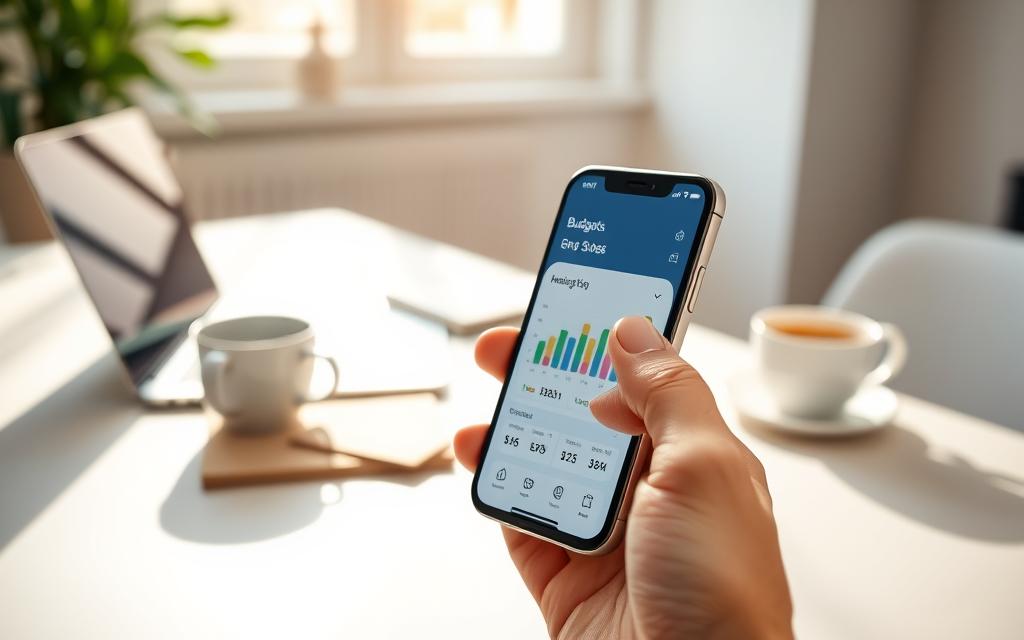
Digital tools have changed how we manage money. Budgeting apps let you see your income, expenses, savings, and goals all in one place. They make budgeting easier and more practical for daily use.
Definition and Purpose
Budget planner apps are tools for tracking money flow. They record paychecks, bills, subscriptions, and one-off purchases. Apps like Mint give an overview and bill reminders, YNAB enforces a zero-based approach, PocketGuard highlights spendable cash, and Personal Capital tracks net worth and investments.
These apps simplify budgeting. They automate expense categorization, forecast cash flow, and support goals like building an emergency fund or paying off debt.
How They Work
Most apps link to bank and credit accounts through secure APIs or aggregators like Plaid. This connection brings transactions into the app without manual entry.
Automated categorization sorts purchases into groups like groceries, utilities, and transport. Users can tweak categories, set rules, or move items manually when an entry needs correction.
Real-time updates refresh balances and recent transactions. This keeps the dashboard current. Notifications alert you to low balances, upcoming bills, overspending, and progress toward goals.
Benefits of Using Budgeting Apps
These apps give improved visibility by consolidating all accounts into a single dashboard. This reduces guesswork about where money goes each month.
Automation saves time by removing spreadsheets and manual logs. Expense tracker apps reduce repetitive tasks and make monthly reviews faster.
Behavior change follows from timely insights and nudges. Personal finance apps show spending patterns, helping curb impulse buys and redirect funds toward priorities.
Reports and trends enable data-driven decisions for retirement planning and tax prep. Accessibility through mobile apps means you can check balances and transactions on the go.
| Feature | What It Does | Who Benefits |
|---|---|---|
| Account Linking | Aggregates bank, credit, loan, and investment data | Anyone who wants a consolidated view |
| Automated Categorization | Sorts transactions into meaningful groups | Users who dislike manual entry |
| Real-Time Updates | Shows current balances and recent activity | People who need up-to-date spending info |
| Notifications | Alerts for low balances, bills, and overspending | Busy users who need reminders |
| Goal Tracking | Monitors progress toward savings and debt paydown | Those saving for emergencies or large purchases |
Key Features to Look For
When picking budgeting tools, look for features that fit your lifestyle and security needs. The top apps offer quick updates, clear reports, strong security, and flexible settings. This way, you can manage your money with confidence.
Real-Time Tracking
Apps that update fast with bank and credit card info are best. They keep your money accurate and prevent overdrafts.
Apps like PocketGuard show how much you can spend. This makes it easier to decide on small purchases.
Reporting Tools
Good apps provide detailed reports on spending. They show monthly breakdowns, trends, and net worth. Personal Capital is great for tracking your net worth over time.
Being able to export reports helps with taxes and analysis. Visuals like graphs make it easier to understand your spending.
Security Measures
Choose apps with top-notch security like AES-256 encryption and two-factor authentication. These protect your money and personal info.
Apps that use Plaid or Yodlee for secure connections are safe. Always check privacy policies to ensure your data is protected.
Customization Options
Customization lets you tailor the app to your spending habits. You can set budgets and track recurring expenses.
Apps that support goal setting and alerts are useful. Integration with calendars and bill-pay tools helps stay on track.
| Feature | Why It Matters | What to Check |
|---|---|---|
| Real-time tracking | Shows current balances and recent transactions | Frequent bank sync, accurate categorization, safe-to-spend figures |
| Reporting tools | Reveals spending trends and net worth | Graphs, CSV/PDF exports, income vs. expense reports |
| Security measures | Protects money and personal information | AES-256 encryption, 2FA, biometric login, reputable aggregators |
| Customization options | Aligns the app with personal finances | Custom categories, budgeting rules, alerts, shared-account roles |
Top Budgeting Apps for 2023
Choosing the right money app is important. You need to think about features, cost, and your financial goals. This list shows some of the best tools to help you compare.
Mint app gives you a free view of your finances. It links to bank accounts, credit cards, bills, and investments. It also tracks your spending and reminds you of bills.
YNAB uses a zero-based budgeting method. It helps you manage your money by setting goals and teaching you how to budget. It’s great for those who want to save more, but it costs money and can be hard to learn.
PocketGuard shows how much money you have left after bills and goals. It helps you make quick spending decisions. It’s good for those who want a simple way to track their money.
Personal Capital helps with budgeting and managing your investments. It tracks your net worth and helps with retirement planning. It’s perfect for investors who want to see their money grow.
Beginners might like Mint app and PocketGuard for their ease of use. Those who want to budget deeply might prefer YNAB. Investors might choose Personal Capital for its investment tools.
Here’s a quick comparison to help you choose:
| App | Best For | Key Features | Cost | Platforms |
|---|---|---|---|---|
| Mint | Beginners | Account aggregation, automated categories, bill reminders, credit score | Free (ad-supported) | iOS, Android, Web |
| YNAB | Intensive budgeters | Zero-based budgeting, goals, workshops, real-time sync | Subscription (monthly/annual), free trial | iOS, Android, Web |
| PocketGuard | Quick daily tracking | Safe-to-spend figure, bill and subscription tracking, spending limits | Free tier; premium available | iOS, Android, Web |
| Personal Capital | Investors | Net worth, investment analytics, retirement planner, fee analyzer | Free tools; advisory services for a fee | iOS, Android, Web |
These apps meet different needs. Try a free version to see which one works best for you.
How to Choose the Right App for You
Start by thinking about what you want to achieve with a money tool. Consider how you spend and what makes an app easy to use. This helps you compare features across different apps.
Assess Your Financial Goals
Make a list of your short-term goals, like saving for a trip or building an emergency fund. Also, think about your long-term goals, such as retirement or paying off a mortgage. Your goals will help you decide which features are most important.
For long-term planning, look for an app with investment and retirement tools. Personal Capital is great for tracking wealth. YNAB is good for those who want to manage their cash flow and save aggressively.
Think about what you need in an app. Do you need reminders for bills, a debt payoff planner, or a tracker for subscriptions? These features will help you choose between a simple app and a more comprehensive one.
Consider Your Spending Habits
Consider how often you spend money. If you make small purchases often, you’ll need an app that categorizes well in real-time. Apps that sync with your bank accounts can help you stay accurate.
If your income varies, look for apps that let you adjust your budget and forecast. Freelancers and gig workers will find these features helpful for managing irregular income.
Subscriptions can add up quickly. Choose an app that helps you track and cancel recurring charges.
Evaluate User Experience
Try out the app and see how easy it is to get started and connect your bank accounts. A simple and intuitive design makes it more likely you’ll use the app regularly.
Look at the app’s customer support options. Good support includes help centers, live chat, and forums. Check out reviews on U.S. app stores and from trusted sources like The New York Times Wirecutter and Forbes.
Try the free version or a trial before committing. This lets you see if the app fits your habits and keeps you motivated to stick with budgeting and personal finance apps.
How Budgeting Apps Help You Save Money
Budgeting apps and money management apps make saving money easier. They help you see where your money goes and find ways to save. Here are some ways these tools can help you save money if you use them often.
Identifying Spending Patterns
Expense tracker apps sort your spending into categories. This shows you where your money goes, like dining out or bills. You can see trends and catch any costs that are going up.
These apps also watch for subscriptions you might have forgotten about. Canceling or combining these can save you money. You can then use that money for things you really want or need.
Setting Savings Goals
Many apps let you set savings goals, like for emergencies or vacations. You can choose how much and when you want to save. It’s all based on what you can afford.
Some apps even help you save money automatically. They can move money to your savings account for you. Seeing your progress and getting reminders can keep you motivated to save.
Providing Financial Insights
Money management apps give you tips to save money, like using less energy or paying off debt. They suggest ways to cut your monthly costs. This can help you save more and pay off what you owe faster.
Apps like Personal Capital check your investments for hidden fees. They also alert you to unusual spending or low balances. This can help you avoid extra charges and stay on top of your finances.
Using budgeting apps and tools regularly can lead to real savings. They help you develop good money habits. This keeps your finances in order over time.
Integrating Budgeting Apps with Your Financial Habits
Connecting apps to your money management makes them useful every day. The right mix of apps turns transaction lists into clear decisions. Here are steps to make syncing, budgeting, and reviewing work together.
Syncing with Bank Accounts
Modern personal finance apps connect to banks through services like Plaid, Yodlee, or direct bank APIs. These connections are usually read-only and encrypt credentials to protect your login details. Use multi-factor authentication for extra safety.
Monitor linked accounts and refresh passwords on a schedule. If a bank blocks automatic pull, import CSV statements and use categorization rules in budget tracking apps to map transactions correctly.
Creating a Monthly Budget
Start by calculating net income after taxes and deductions. List fixed bills, variable spending, and target savings. Allocate money into categories so each dollar has a job.
Try a budgeting approach that fits your life. Some people prefer zero-based budgeting like YNAB, others use the 50/30/20 split or envelope-style digital allocations. Set recurring transaction templates and align budgets with pay dates for monthly or biweekly pay cycles.
Reviewing and Adjusting Your Budget Regularly
Do quick weekly checks to catch miscategorization and spot overspending. Schedule a monthly deep-dive to reconcile accounts, compare actuals to plans, and update category limits.
Let reports from budget tracking apps highlight overages. Move funds between categories when priorities change. Plan seasonal adjustments for holidays, taxes, or higher utility bills and change timelines for big goals.
Turn insights into actions such as canceling unused subscriptions, asking for lower service rates, or moving emergency cash into higher-yield accounts. Expense tracker apps and budget planner apps make these choices clearer when you check them regularly.
| Task | Tool Tip | Frequency |
|---|---|---|
| Link bank accounts securely | Use Plaid/Yodlee or bank APIs; enable MFA | Once, then verify quarterly |
| Import missing transactions | Upload CSV and apply categorization rules | As needed |
| Set monthly budget | Choose zero-based, 50/30/20, or envelope method | Monthly |
| Quick weekly check | Spot mislabels and small overspends | Weekly |
| Monthly reconciliation | Use reports from budget tracking apps to reassign funds | Monthly |
| Seasonal and goal updates | Adjust for holidays, taxes, or changed income | Quarterly or when life events occur |
Common Mistakes to Avoid with Budgeting Apps
Using budget tracking apps can change how you manage money, but small errors undo progress. Read these practical warnings to get better results with personal finance apps and expense tracker apps.
Ignoring Data Analytics
Many people skip the charts and reports inside money management apps. That misses trends in dining, subscriptions, and seasonal spikes.
Set aside time each month to review analytics. Pick one expense to cut or optimize after each review.
Not Updating the App Regularly
Failing to reconcile transactions or refresh linked accounts creates inaccurate budgets. False confidence follows when your app shows wrong balances.
Turn on automatic syncs, approve uncategorized transactions weekly, and correct misclassified items to keep expense tracker apps reliable.
Overcomplicating Your Budget
Too many categories and rules lead to fatigue and abandonment. A cluttered system hides the big picture the way tiny details can bury meaningful trends.
Start with broad groups such as housing, transportation, food, entertainment, and savings. Refine categories only when a pattern justifies the change.
Other Pitfalls to Watch For
- Blind trust in automated categorizations—always verify large transactions inside budget tracking apps.
- Ignoring app permissions and data-sharing settings that may expose unnecessary information when using personal finance apps.
- Letting the tool dictate behavior—use money management apps to support real-life choices, not replace them.
User Reviews: What People Are Saying
Readers share their real-life experiences with popular personal finance apps. They talk about what they like and what they don’t. This helps you decide which app is right for you.
Many praise Mint for its easy-to-use dashboard and free features. YNAB is loved for its budgeting method and community support. PocketGuard is praised for its simple spending tracker. Personal Capital is known for its investment tracking.
Positive Experiences
Users have seen real benefits from these apps. They’ve paid off debt, built savings, and avoided late fees. They also make smarter choices about spending.
Common Complaints
Some issues keep popping up in reviews. Users get frustrated with app glitches and mistakes in categorizing expenses. Ads and upsells in free versions are also a problem. Cost is a big worry for some users.
Success Stories
Success stories show real results. People have cut down on spending, saved more, and improved their financial health. Stories range from paying off debt to optimizing retirement accounts.
To understand what users say, look at reviews from different places. Check App Store, Google Play, Reddit, and tech websites like The Wall Street Journal and CNET. This way, you can get a full picture of which app is best for you.
The Future of Budgeting Apps
The next wave of money management apps will bring smarter automation and clearer insights. They will also integrate better with financial services. Users can expect tools that learn their habits and offer timely advice. These tools will help predict cash flow more accurately, changing how we plan, save, and invest.
Trends to Watch
Artificial intelligence and machine learning are making budgeting apps smarter. They will offer personalized advice and predict cash flow needs. This means users can avoid financial shortfalls before they happen.
Real-time financial health scores will become common. Budgeting apps will give nudges to save, cut down on recurring charges, or move funds to goals. This helps users stay on track financially.
Embedded finance will also grow within these apps. Expect to find in-app banking, high-yield savings, and bill negotiation services. These features will be tied directly to your budget.
Innovations on the Horizon
Open banking and direct bank APIs will make syncing accounts faster and more reliable. This will improve the accuracy of budgeting tools and reduce the need for manual updates.
Natural language processing will allow users to interact with budgeting apps using everyday language. You can ask to move funds, explain spending, or set financial goals in simple terms.
Cross-platform automation will link budgeting apps to tax software, robo-advisors, and bill-pay services. This will make managing taxes, investments, and bills easier and more streamlined.
Potential Challenges Ahead
As budgeting apps collect more data, privacy and security risks will increase. Regulators will watch closely, pushing companies to improve their compliance and transparency.
Monetization pressures might lead some apps to promote financial products that aren’t always the best for users. It’s important to be aware of any bias in recommendations.
User trust and fatigue are concerns. Too many notifications or upsell prompts can overwhelm users. This might reduce their long-term use of budgeting tools.
Fragmentation is another risk. With more niche apps, finding a comprehensive solution can be harder. Users might prefer a single app that does everything.
| Area | Near-Term Change | Impact for U.S. Consumers |
|---|---|---|
| AI & Machine Learning | Smarter categorization and forecasting | Better predictions and tailored advice for everyday budgets |
| Embedded Finance | In-app banking and bill services | Faster access to banking features without leaving apps |
| Open Banking | Direct APIs and deeper integrations | Smoother syncing and richer data for budgeting tools |
| Privacy & Regulation | Stricter compliance standards | Greater protections, but more complex consent controls |
| User Experience | Conversational assistants and automation | Easier interactions, with risk of notification fatigue |
Conclusion: Taking Control of Your Finances with Budgeting Apps
Budgeting apps are now key for managing money every day. They track spending in real-time, sort expenses automatically, and help save money. They also make bill payments easier and give clear views of your finances.
Choosing the right app depends on what you want to achieve. If you just need to track expenses, some apps are simple. For deeper financial analysis, others offer more features.
To begin, pick an app and try its free version or trial. Connect your main accounts and set a basic budget. Aim for one savings goal.
Try a 30-day challenge. Check the app weekly, tweak categories, and act on insights. This hands-on method makes apps useful for managing money.
Success in the long run means staying consistent, not perfect. Use your app often, keep passwords strong, and check accounts regularly. Start now to better manage your money, reduce stress, and reach your financial goals with confidence.