

Advertisement
Your notes may look complete, yet key ideas can remain disconnected. Concept mapping shows these links by explaining how concepts relate instead of listing facts.
This visual form of knowledge representation can expose weak, missing, or unclear links. This article shows how to build a concept map, choose a map type, and use it for learning and work.
What is Concept Mapping?
Concept mapping turns ideas into a visual guide. It shows how knowledge connects, making information organization clearer and easier to review.
Definition and Overview
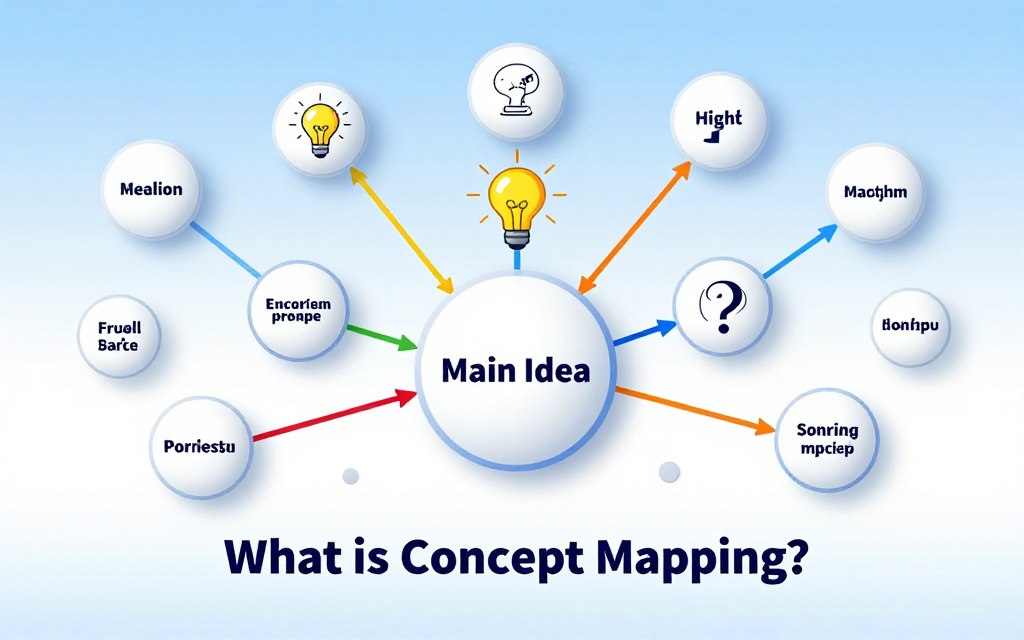
A concept map displays concepts as labeled nodes linked by lines or arrows. Labels explain how ideas relate. Unlike a simple list, a map uses meaningful links to form statements, such as “photosynthesis produces glucose.”
This visual approach makes knowledge and its connections clear. Readers can follow each link to see how one idea supports or relates to another.
History of Concept Mapping
Educational researcher Joseph D. Novak developed concept mapping in the 1970s. His method drew on psychologist David Ausubel’s work on meaningful learning. Ausubel focused on connecting new knowledge to what learners already understand.
That foundation still shapes concept mapping today. It gives learners a clear way to represent knowledge and examine relationships among ideas.
| Feature | Concept Map | Simple List |
|---|---|---|
| How ideas appear | Concepts connect through labeled lines or arrows. | Items appear in sequence or as separate points. |
| What connections show | Links explain relationships and form meaningful statements. | Links between items are not usually explained. |
| Use for learning | Makes knowledge structure visible for review. | Records or groups information for quick reference. |
Benefits of Concept Mapping
Concept maps make ideas and links easy to see. Naming each link helps learners connect new material to what they already know. The map creates a cognitive framework for understanding a topic.
Enhances Understanding
Putting related ideas together helps learners notice patterns. Labeled links show whether concepts cause, support, or differ from each other. Together, these links form a semantic network that makes complex subjects easier to follow.
Improves Retention
Creating or revising a map makes learners recall key ideas and rebuild their links. This active effort can strengthen memory more than simply rereading notes.
Encourages Critical Thinking
Comparing links can reveal contradictions or gaps in understanding. Learners can ask what evidence supports each connection and which relationships are missing. A map works best alongside practice and subject-specific evidence, not instead of them.
How to Create a Concept Map
Start your concept map with a clear purpose. Keep the topic focused, so every idea and link helps answer one question.
Step-by-Step Guide
-
Write a focused question, such as “How does sleep affect learning?”
-
List the key concepts. Use short terms instead of full explanations.
-
Place the central or most inclusive idea near the top or center.
-
Arrange supporting concepts around it, moving from broad ideas to specific details.
-
Connect related concepts with lines. Label each line with a phrase that explains the relationship.
-
Look for gaps or unclear links. Add cross-links between branches when they show a meaningful connection.
Tools and Resources
Paper and sticky notes work well for a first draft. Move ideas around until the structure feels clear. Digital visualization tools, such as CmapTools and diagrams.net, make it easy to edit, share, and expand a map.
Mind mapping software can support a brainstorming technique while you gather ideas. Check that the program lets you label relationships between concepts, a key feature of concept maps.
| Option | Best for | Useful feature |
|---|---|---|
| Paper and sticky notes | Quick drafts and group work | Ideas can be moved with ease |
| CmapTools | Detailed concept maps | Supports labeled links between concepts |
| diagrams.net | Flexible digital diagrams | Offers editable shapes and connectors |
| Mind mapping software | Early idea generation | Can help organize a brainstorming technique; check for labeled links |
Types of Concept Maps
Each map shape supports a different way of thinking. Choose one to sort ideas into categories, explore a topic, or show steps in order. The map’s data structure shapes the layout, and clear links show how ideas relate.
Hierarchical Maps
A hierarchical map puts a broad idea at the top and specific ideas below it. This structure helps show categories, parts, or levels. For example, an ecosystem map could branch from one main topic to forests, deserts, and oceans.
Spider Maps
A spider map places one central topic in the middle. Related ideas branch outward, so you can explore a subject without using levels. Use it to brainstorm, show several aspects of one topic, and support flexible information organization.
Flowcharts
Flowcharts show a sequence, process, or set of decisions. Arrows guide readers from one step to the next, making this format useful when order matters. Use one to trace a science procedure or map choices in a task.
Choose the format that fits your purpose: hierarchical maps show categories, spider maps explore topics, and flowcharts trace steps. These choices organize ideas, but they are not fixed rules. Add meaningful links so readers can see how each idea connects.
| Map type | Layout | Best for |
|---|---|---|
| Hierarchical | Broad ideas sit above specific ones | Showing categories, levels, or parts |
| Spider | A central topic branches outward | Exploring a topic or gathering related ideas |
| Flowchart | Steps and decisions follow a path | Tracing a process where order matters |
Using Concept Maps in Education
In the classroom, maps make ideas easier to see and discuss. Concept mapping helps students connect key terms, while teachers use it to guide lessons and check understanding.
For Students
Students can use concept mapping to sort class notes, plan an essay, or review for an exam. Links between course ideas show whether students can explain how those ideas relate.
For Teachers
Teachers can use maps to introduce a unit, check what students already know, and spot misconceptions. They can revisit maps over time to track learning.
Keep each map suited to learners’ age and subject knowledge. As a formative assessment, ask students why they chose each link, not just where they placed a term. Simple visualization tools help students and teachers build and revise maps together.
Concept Mapping in Professional Development
Concept maps help people understand complex work. Trainers can use them to explain procedures, policies, and technical topics visually.
Training and Workshops
In a workshop, participants can build a shared map as they learn. This brainstorming technique links new material to existing skills and reveals hidden assumptions.
Clear labels support knowledge representation by showing how ideas relate. The map can reveal open questions for follow-up and help trainers review key points.
Team Collaborations
Teams can use one map as a shared reference across roles and departments. It helps people see how tasks, policies, and decisions connect.
Agree on key terms and label each link clearly. Different views become easier to spot and discuss when they appear on the map.
Common Mistakes in Concept Mapping
A concept map should make ideas easier to understand. Too many details can hide important links. Good information organization begins with a simple plan.
Overcomplicating Your Map
Too many concepts, decorations, or crossing lines can make a map hard to read. Keep the first draft focused on one question. Add details only when they explain an important relationship.
Lack of Focus
Without a focus question, a map may become a loose collection of terms. Use a clear question to guide your choices and build a useful cognitive framework.
Review each link and ask whether its label explains how the ideas connect. Ask whether the map shows an insight that a simple list would miss. If not, remove extra details or clarify the relationship.
Real-World Applications of Concept Mapping
Concept maps help people see how ideas connect in complex settings. Their layout can act as a semantic network, while links and categories create a useful data structure.
In Healthcare
Care teams can map symptoms, diagnoses, treatments, and patient education topics. These links support clear communication and help patients understand how parts of a care plan relate.
A map supports learning and communication, but it cannot replace clinical judgment. Health claims should rely on reliable evidence and current guidance.
In Business Strategy
Teams can connect customers, goals, capabilities, risks, and dependencies in one view. This helps them trace how a choice in one area may affect other parts of a plan.
In Research
Researchers can use maps to sort literature, sharpen research questions, and show links among variables or themes. The structure should fit the task, and each claim should rely on reliable evidence.
| Setting | What the map connects | How it helps |
|---|---|---|
| Healthcare | Symptoms, diagnoses, treatments, and patient education | Supports communication and learning |
| Business strategy | Customers, goals, capabilities, risks, and dependencies | Shows how decisions may affect one another |
| Research | Literature, questions, variables, and themes | Helps organize ideas and refine inquiry |
Conclusion: Embracing Concept Mapping for Lifelong Learning
Concept mapping lets you see how ideas connect. It can reveal links that need more attention while studying a class topic, planning a project, or exploring research.
Start with one clear question and create a simple draft. Label each connection, then revise the map as you learn. This form of knowledge representation makes information organization easier to review and discuss.
With regular use, concept mapping can help you manage complex topics at school, work, and beyond. Keep asking questions, checking connections, and improving your map. Each revision can support learning throughout life.